
The Cognitive Ergonomics of Focused Workspaces
The physical architecture of a workspace directly influences cognitive endurance, emotional discipline, and mental clarity. In an age of relentless digital notifications, open-plan noise, and endless browser tabs, remote professionals and executives face constant cognitive fragmentation. Thoughtfully designed physical surroundings—anchored by timeless philosophical principles—provide an intentional visual sanctuary that fosters deep work.
Incorporating classical Stoic reflections—such as the timeless meditations of Roman Emperor Marcus Aurelius on inner control, focus, and perspective—transforms an ordinary home office into an environment of purpose and calm.
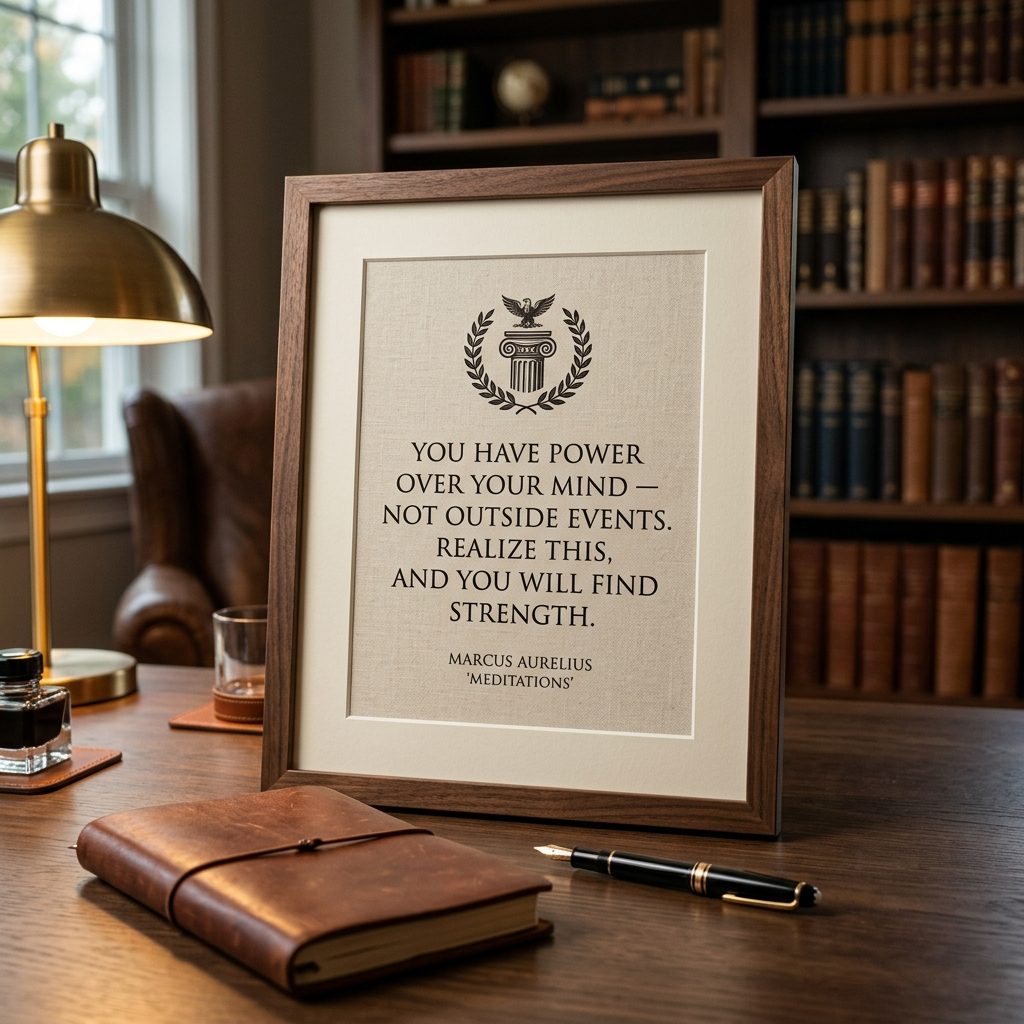
Featuring the Marcus Aurelius Print, this guide examines the ergonomics of visual anchors, glare management, and executive framing.
1. Visual Anchors & Cognitive Grounding
A visual anchor is an intentional physical object placed within your peripheral vision that cues a specific psychological state:
- **The Peripheral Reminder**: When fatigue or frustration sets in during complex problem-solving, your gaze naturally drifts upward from your computer screen. Catching sight of a grounding Stoic maxims (*"You have power over your mind - not outside events"*) interrupts stress loops and restores perspective.
- **Typography Psychology**: Classical serif typefaces (such as Garamond, Baskerville, and Didot) convey historical authority, permanence, and intellectual rigor. Avoid playful script or distressed grunge fonts in professional focus zones.
2. Spatial Ergonomics: Calculating Placement Heights
Incorrectly hung artwork causes subtle neck strain and diminishes visual impact:
Desk Monitor Centerline
- **Above Dual Monitors**: Mount large 18x24 or 24x36 inch quote prints **6 to 8 inches (15–20 cm) above the top edge of your monitor**. This keeps the artwork in your immediate upward sightline without forcing you to tilt your head back.
- **Side Wall Alignment (Seated Eye Level)**: When hanging art on side walls viewed from an ergonomic desk chair, align the horizontal centerline at **44 to 48 inches (112–122 cm) from the floor**, matching seated eye level rather than standing height.
3. Controlling Reflections: Lighting & Glazing
Typography prints are especially vulnerable to reflections because readable letterforms require high contrast between dark ink and light paper:
- **Anti-Reflective Museum Glass**: Standard frame glass creates mirror-like reflections from desk task lamps and monitor screens. Choose **Tru Vue Conservation Clear or Museum Glass** (or non-glare optical acrylic) which features optical anti-reflective coatings that reduce glare by over 90%.
- **Directional 30-Degree Lighting**: If illuminating with an overhead spotlight or wall-mounted picture light, position the light source at a **30-degree angle from the vertical wall plane** to eliminate direct reflection into the viewer's eyes.
4. Pairing Philosophy with Biophilic Flora
A room decorated solely with typography can feel sterile and academic. Balance typographical structure with organic, living forms:
- Flank a central Marcus Aurelius Print with the calming negative space of the Minimal Plant Print or the soft green tones of the Eucalyptus Print.
- Use identical slim matte black or solid walnut frames across all pieces to maintain executive visual cohesion.
Explore our full range of focus-driven artworks in the Quote Prints Collection and Wall Art Catalog.